How to register?
-
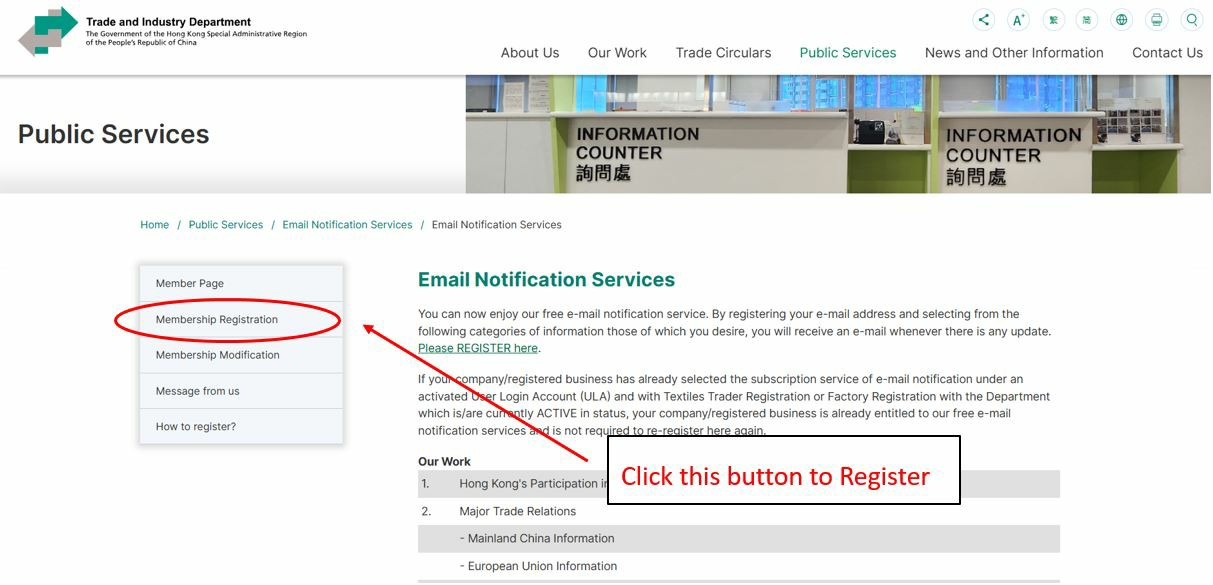
Click the 2nd item "Membership Registration" at the left side of the screen:
-
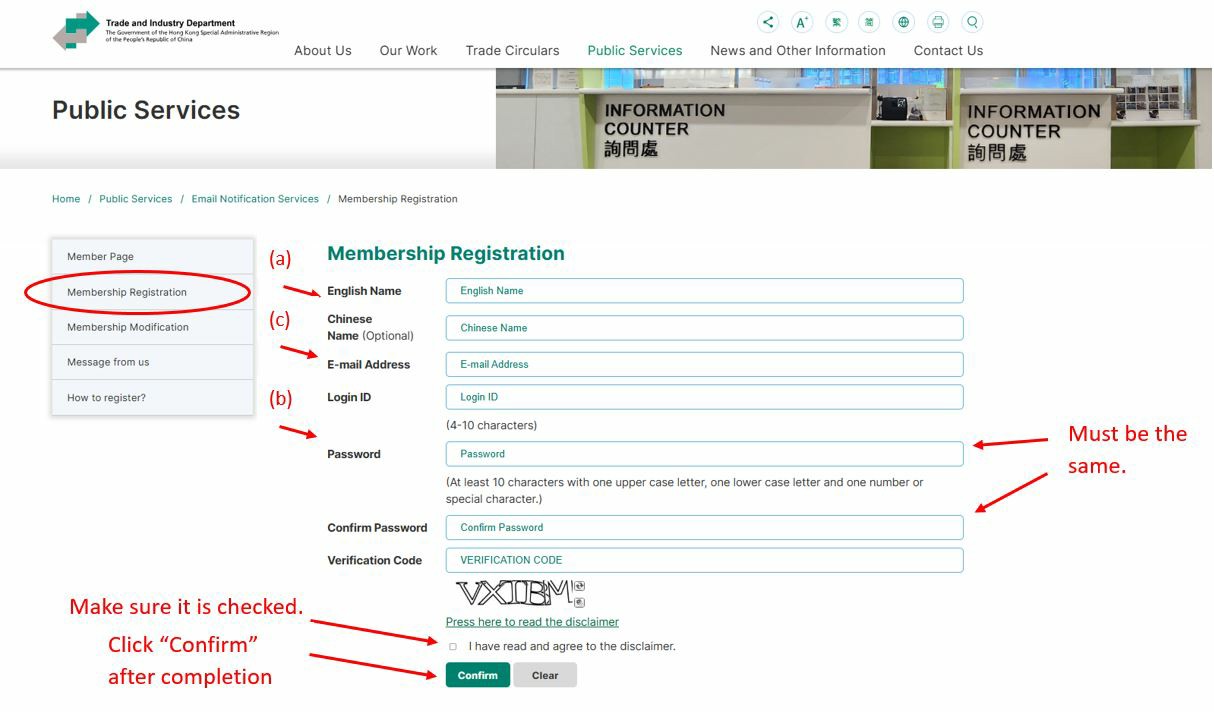
Complete the information required as shown on the screen below:
- English Name, Chinese Name (Optional) to be provided by registrant.
- Login ID and Password are to be provided by registrant; for modification of user information thereafter.
- Enter your E-mail Address from which you want to receive the latest update.
-
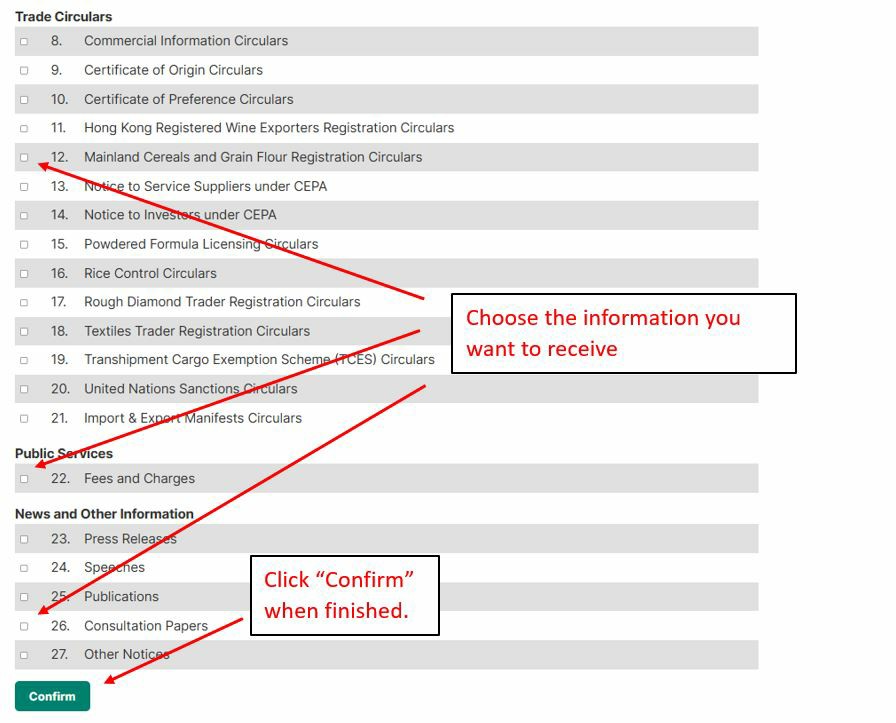
After the registration details are input, you will then be directed to choose the categories of information you want to receive. Click the checkbox next to the information categories you want to receive and click "Confirm":
-
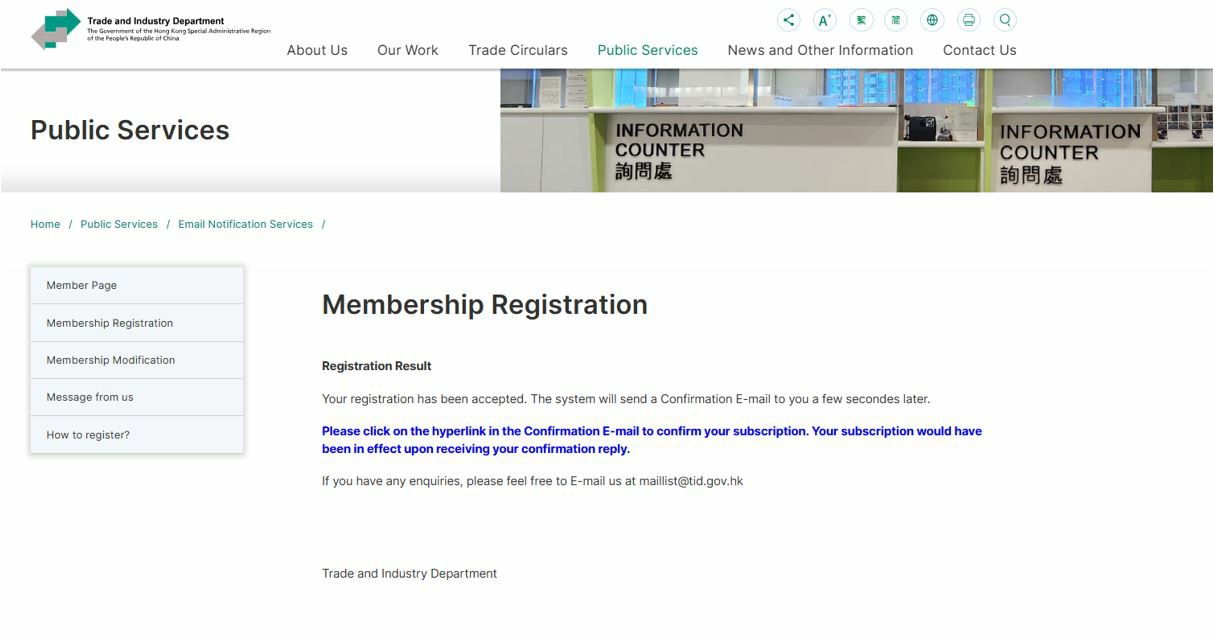
After that, you will see a screen stating that your registration is completed.
-
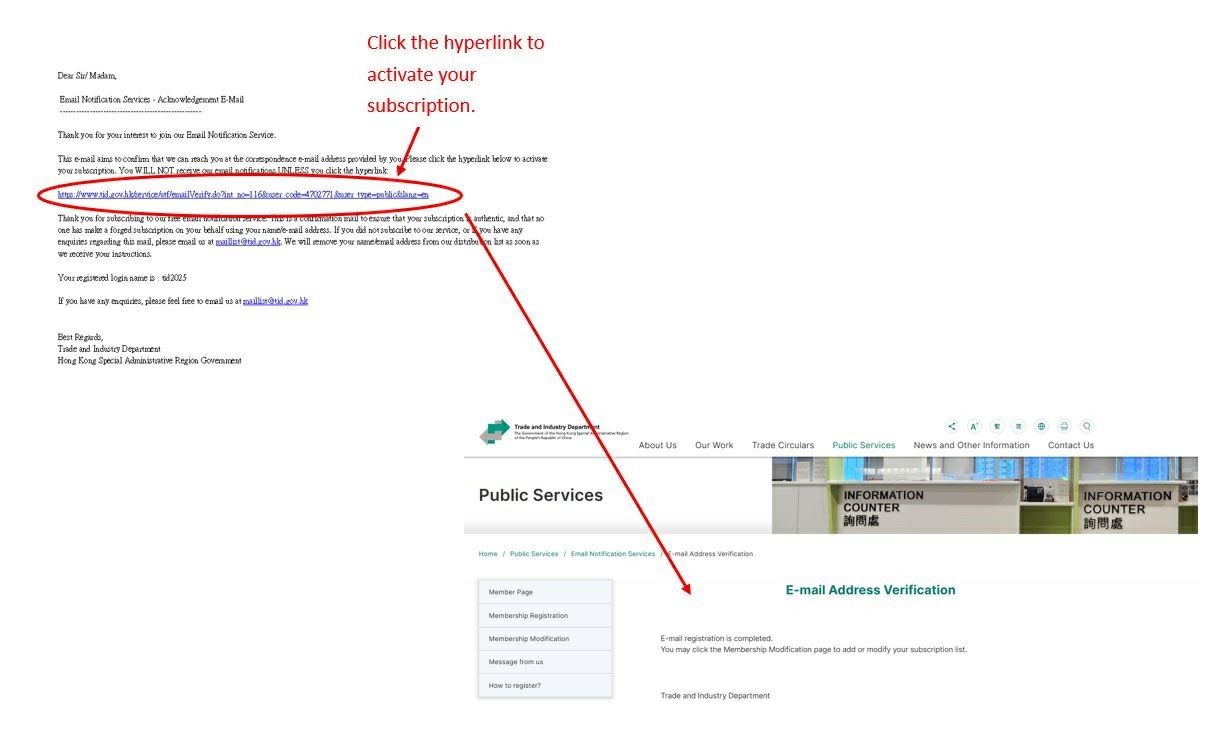
A confirmation email will be sent to your registered email address. You have to click the hyperlink in the confirmation email to activate your subscription. You WILL NOT receive our notification unless you respond to our confirmation email.
-
You should receive our email notification in the following format:
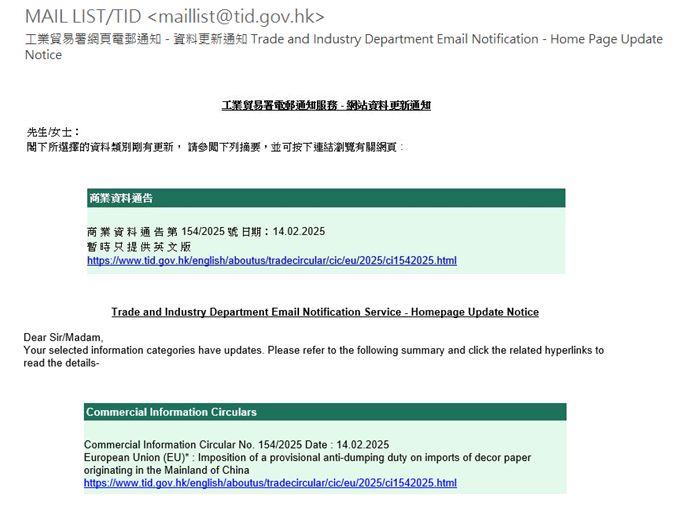
The notification is in bilingual format, with Traditional Chinese at the top and English version at the bottom. You can view the detail by clicking the hyperlinks in the notification email.